If you search for a "Veo 4 AI video generator" today, you usually want one thing: the clean, cinematic Google-style look that people associate with the Veo line.
The practical answer is simple. Google publicly exposes Veo 3.1 in its current video tools today, not a fully public Veo 4 release. That does not mean you need to wait. You can already create Google-style videos right now with the current stack, especially if your workflow uses strong prompts, reference images, scene extension, and tight iteration loops.
This guide shows the practical path:
which route to use first
how to build a prompt that actually steers the result
how to get a more Google-like cinematic feel
how to avoid the most common failure modes
when to use a faster production workflow instead of staying inside one tool
If you want the one-page product view first, is the fastest summary of the workflow this article supports.
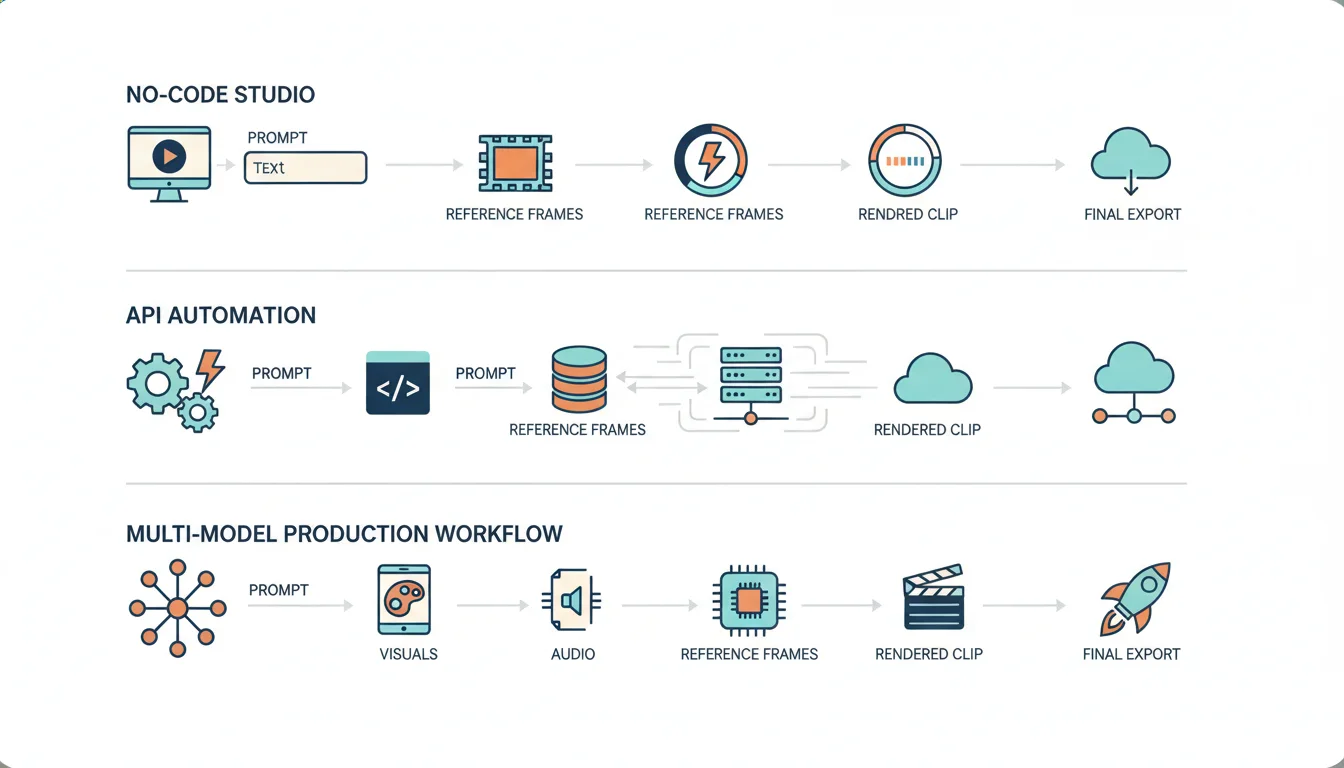
For most creators, marketers, and small teams, the best way to create a Veo-style result today is to pick the route that matches your level of control.
Veo 3.1 text-to-video, frames-to-video, ingredients-to-video, video extension, object insert/remove, and Scenebuilder in one interface
Credit-based workflow and less automation than an API stack
Gemini API / Vertex AI
Teams that need repeatable production pipelines
Programmatic generation, portrait and landscape video, reference-image guidance, extension, native audio, and 720p/1080p/4K options
You need a prompt system and production logic, not just taste
A multi-model workspace
Teams that care more about output and speed than vendor purity
One place to test prompt, reference, and scene ideas before publishing
Quality depends on how disciplined your workflow is
The reason this matters is visible in the current search demand. People are not searching for rumors. They are searching for a working generator that can produce the Google look now.
The current public Google stack already covers most of what searchers expect from a "Veo 4 AI video generator."
Here is the useful reality check:
Flow currently presents Veo 3.1 as the video engine in its creative studio.
Flow's free access starts with 100 credits up front and 50 credits daily.
Google AI Pro adds 1,000 monthly credits and 1080p upscaling.
Google AI Ultra adds 25,000 monthly credits plus 4K image and video upscaling.
Flow is positioned as a full creation studio, not only a raw generation box.
Google's developer video docs currently center on Veo 3.1, with 8-second video generation, native audio, portrait 9:16, landscape 16:9, video extension, and reference-image guidance.
That means the "Veo 4" search intent is really a workflow intent:
I want better cinematic output.
I want stronger prompt control.
I want image-guided shots and cleaner consistency.
I want a generator I can use today, not a launch rumor.
That is why this topic belongs closer to practical creation than to release-date speculation. If you want the market-status view, read /blog/veo-4-coming-soon-google-next-ai-video-model. If you want the usable workflow, stay here.
Flow is the best starting point when you want to move from idea to shot quickly. The current product surface already includes the creative controls most people expect from a next-gen Google workflow:
text to video
frames to video
ingredients to video
video extension
insert object
remove object
Scenebuilder
That stack is enough to create polished ad concepts, social cuts, demo sequences, and short branded scenes without building your own production layer.
Many teams do not actually need a pure Google-only workflow. They need a reliable production system that can move from prompt to usable video without getting blocked by one interface, one queue, or one pricing surface.
That is why Veo 4 is a practical option when you want to build Google-style videos inside a faster production workflow. It gives you a cleaner place to iterate on prompts, references, and output direction without treating a single vendor console as the whole creative process.
Most weak results come from weak structure, not weak models.
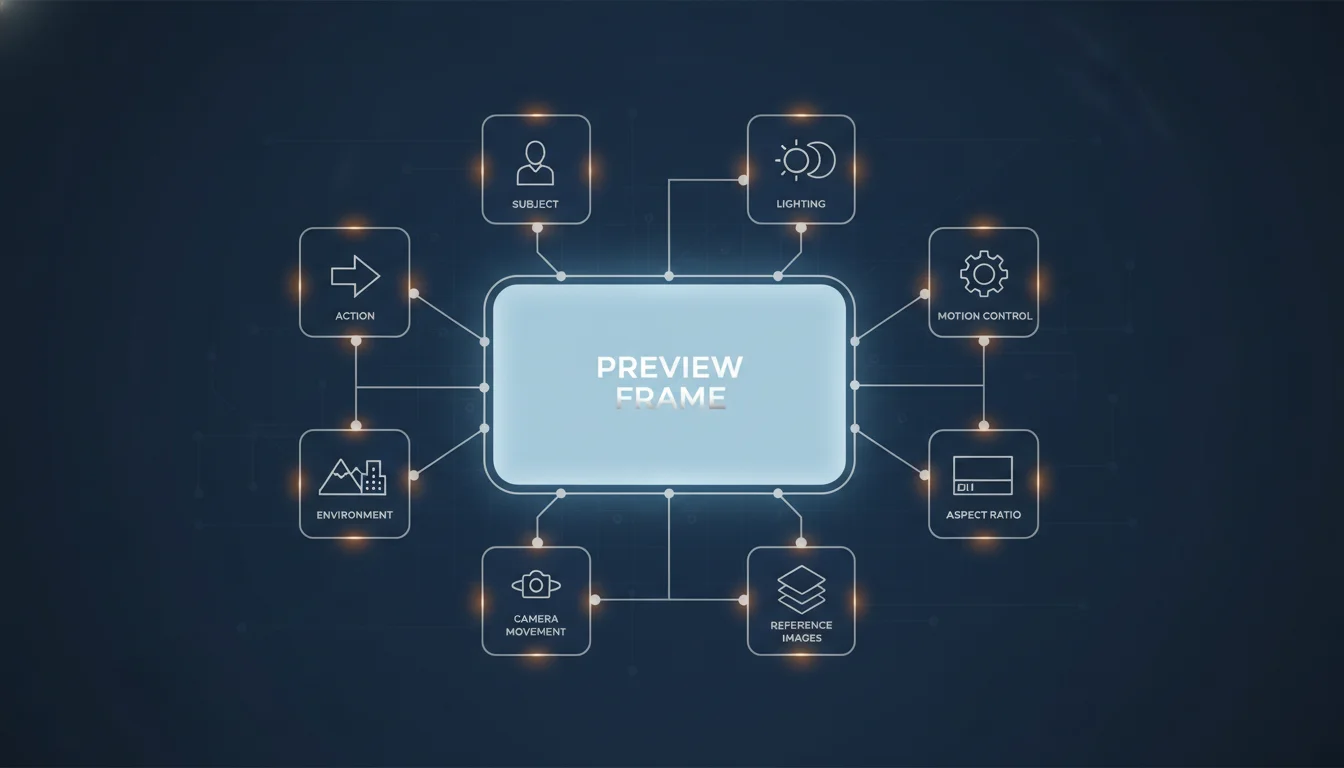
Google-style video output gets better when the prompt reads like a production brief. The current Veo prompt guidance is strongest when you clearly define the subject, the action, the environment, the camera language, and the visual mood.
Prompt block
What to specify
Good example
Subject
Who or what the shot is about
"A founder standing beside a glowing product display"
Action
What is happening
"She turns toward camera and lifts the product with a calm, confident motion"
Environment
The scene and atmosphere
"A polished startup studio with soft daylight, brushed metal, and glass reflections"
Camera
Shot language
"Slow dolly-in, medium shot, shallow depth of field"
Lighting
The look
"Natural daylight with cinematic contrast and warm edge light"
Motion rules
What should stay stable
"Keep the hands natural, preserve product shape, avoid sudden jumps"
Output format
Delivery target
"16:9 for landing page hero" or "9:16 for paid social"
A strong prompt usually looks like this:
Create a cinematic product video of a founder in a modern startup studio.She lifts a compact device and turns toward camera with a calm, confident expression.Slow dolly-in camera movement, medium framing, shallow depth of field.Natural daylight with warm rim light and soft reflections on glass and metal.Keep the product shape stable, keep hand motion realistic, avoid visual drift.16:9 aspect ratio, polished brand-film style, production-ready realism.
That prompt is useful because it is specific without becoming overstuffed.
A lot of people wait until generation three or four to add visual references. That is backwards.
If you care about a Google-style finish, reference inputs should show up early because they stabilize the elements that usually break first:
product shape
wardrobe consistency
art direction
color palette
scene composition
continuity across extensions
The current public video stack already supports reference-guided workflows. In practice, that means you should prepare a small input packet before you generate:
one hero reference for subject identity
one environment or set-design reference
one mood reference for lighting and tone
If you skip this step, you force the model to invent too many decisions at once.
Your first pass is not the final video. It is the fastest way to test whether the idea is structurally sound.
The best workflow is usually:
generate the shortest viable scene
inspect subject stability and composition
fix prompt language before chasing more detail
extend only after the first shot already works
This matters because longer clips amplify mistakes. If the first shot already has weak hands, drifting props, muddy lighting, or confused camera motion, extension usually makes the output less reliable, not more cinematic.
Use the first pass to answer only three questions:
The strongest results usually come from simple lighting logic: daylight plus contrast, golden-hour edge light, or soft studio lighting. Do not pile on random adjectives.
Pick 9:16 when the clip is made for social. Pick 16:9 when it needs to live on a product page, blog, landing page, or YouTube cut. The aspect ratio is not a final export choice only. It changes composition.
If your goal is to ship useful videos this month, the public stack already covers the core job:
cinematic short-form video
portrait and landscape generation
reference-guided creation
native audio in the current Veo 3.1 path
scene extension and refinement
structured prompt control
Waiting only makes sense if your workflow depends on a feature that is not public yet and has no good workaround. Most teams do not have that problem. Most teams have a workflow problem, a prompt problem, or a consistency problem.
That is exactly why this keyword is valuable. The search demand is telling you that users want the look and the outcome, not a model-version debate.
Yes. The current Flow and API stack already supports the main ingredients: text-to-video, reference guidance, scene extension, portrait and landscape output, and native-audio video generation in the current Veo 3.1 path.
Teams usually do better with a repeatable prompt system, shared references, and a production workflow that does not depend on one person's manual taste.
The best way to win the "Veo 4 AI video generator" keyword is to answer the real user need.
The real need is not a rumor roundup. It is a usable workflow for making Google-style videos today.
That workflow already exists. Start with the route that matches your team, build prompts like shot lists, use references early, refine the first shot before extending, and optimize for a clear output target. If you do that consistently, you do not need to wait for a future label to get a better result now.
Veo 4 AI Video Generator: How to Create Google-Style Videos Today
The Short Answer
What Is Actually Available Right Now
Step 1: Pick the Right Creation Route
Use Flow if you want the fastest first win
Use the API route if you need repeatability
Use a multi-model workspace if speed matters more than tool identity
Step 2: Build a Prompt Like a Shot List, Not a Wish
Step 3: Use Reference Images Earlier Than You Think
Step 4: Create the First Pass, Then Refine the Shot