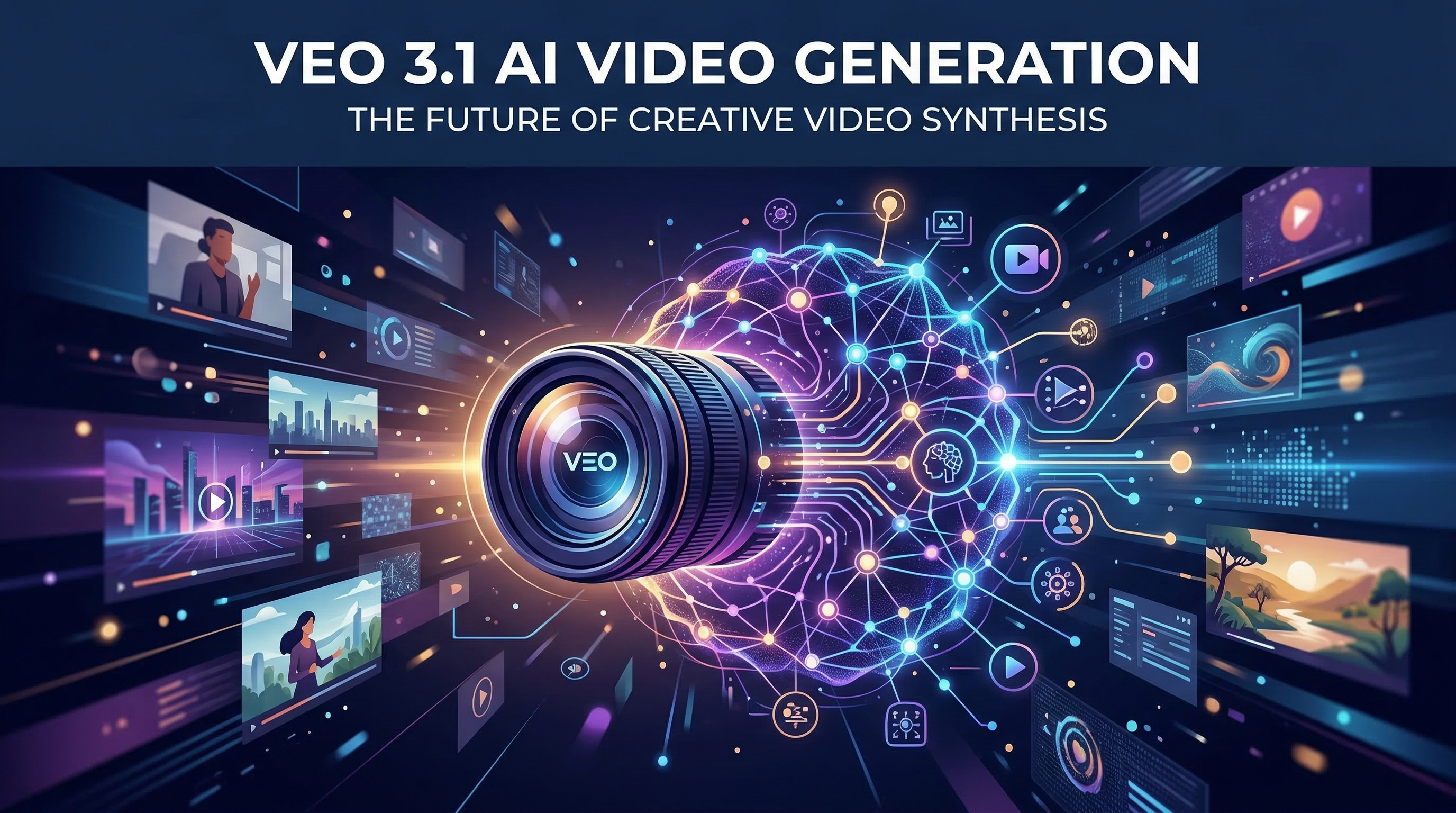
The AI video generation landscape has transformed dramatically in early 2026, with Google's Veo 3.1 emerging as one of the most technically sophisticated models available. After extensive testing against competitors like Sora 2 and Kling 3.0, Veo 3.1 distinguishes itself through broadcast-quality output, native audio synchronization, and a uniquely cinematic aesthetic that sets it apart in the crowded AI video market.
This guide breaks down Veo 3.1 through its core capabilities, technical specifications, practical workflows, and competitive positioning so you can quickly judge where it fits in a production workflow.
Veo 3.1 represents Google DeepMind's latest iteration in AI video generation technology, designed specifically for creators who prioritize cinematic quality and production reliability. Unlike earlier text-to-video models that struggled with temporal consistency and visual coherence, Veo 3.1 delivers broadcast-standard output with native audio generation built directly into the pipeline.
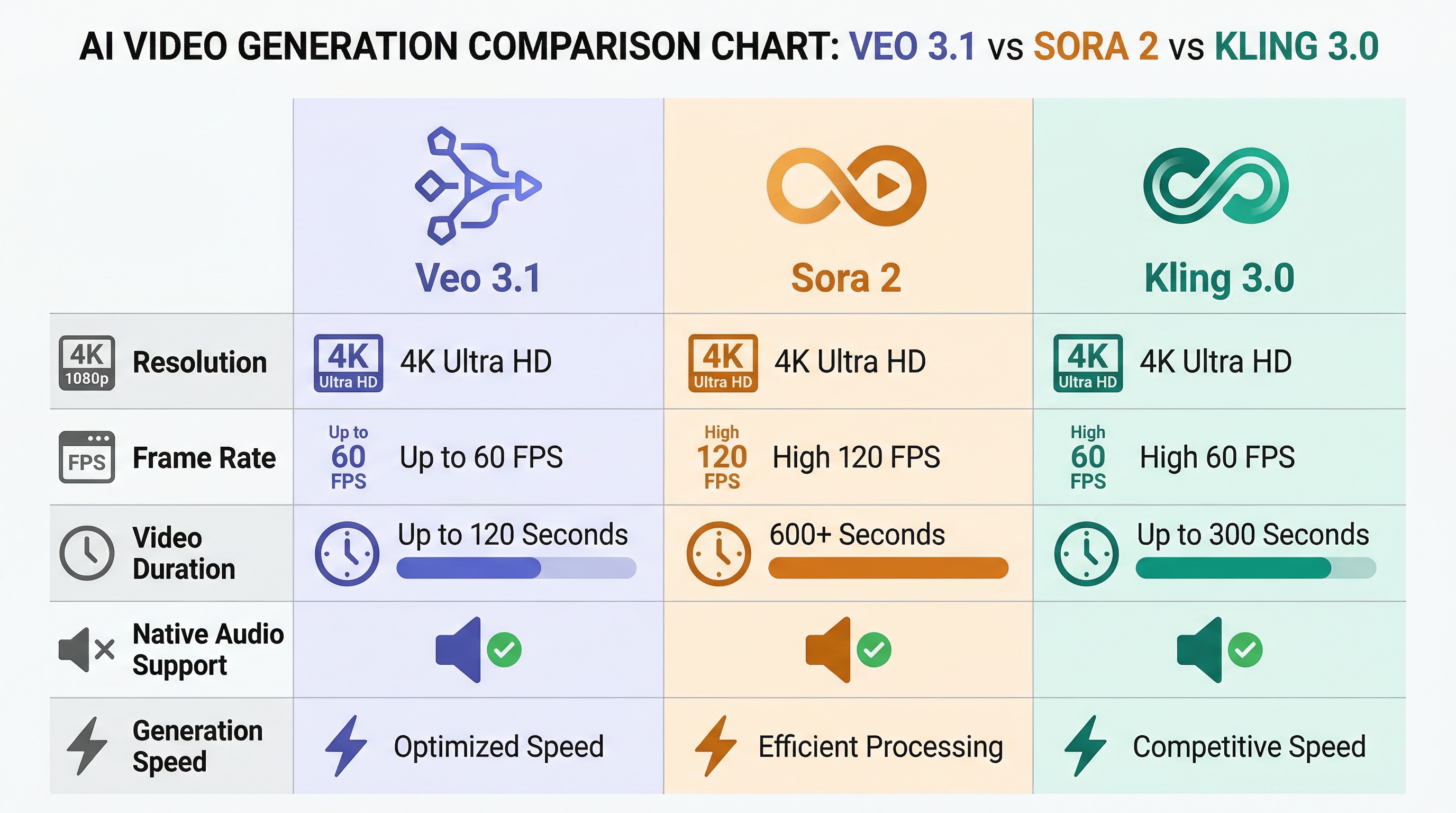
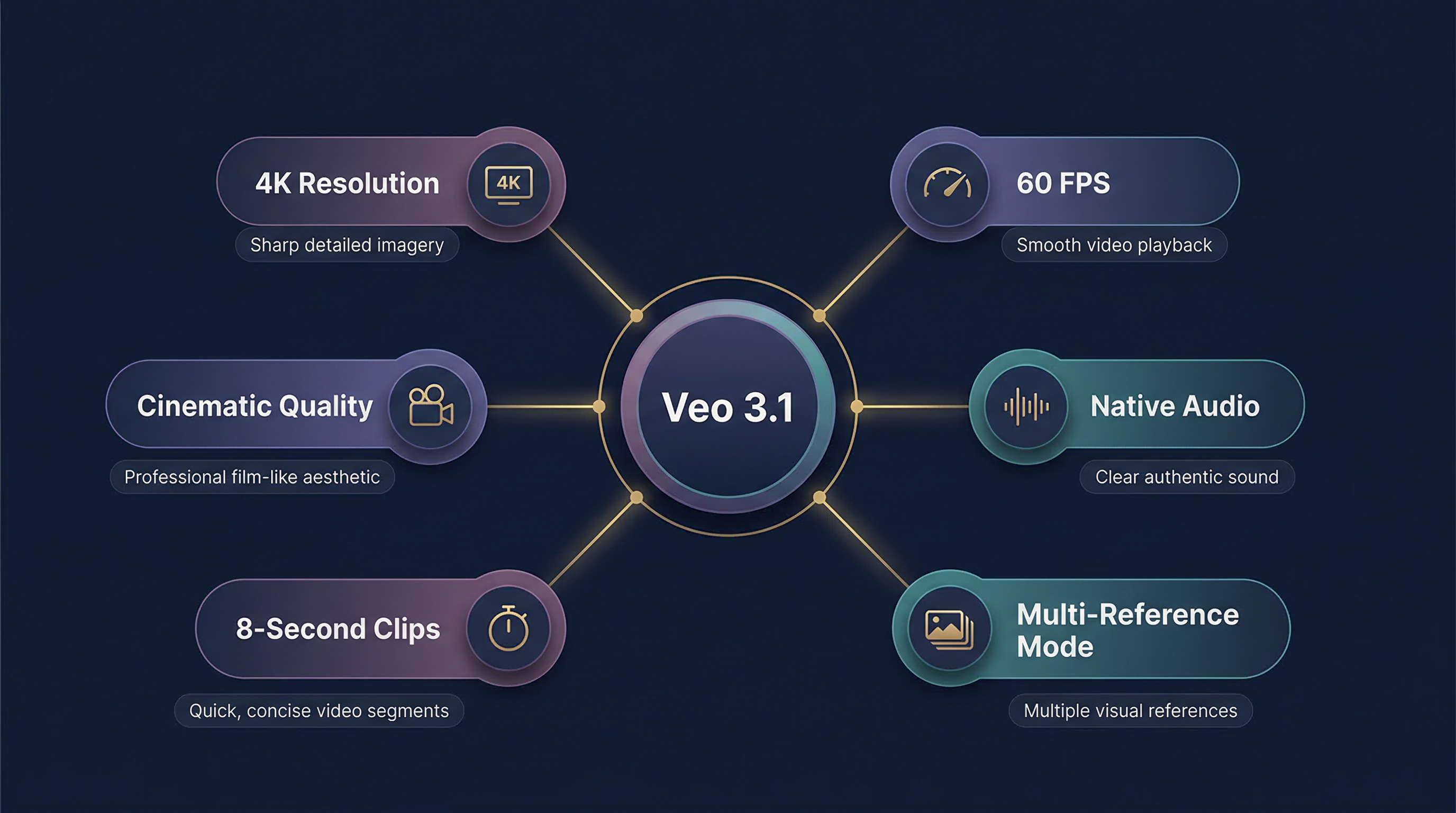
The model generates videos at resolutions up to 4K, with 1080p native and 4K upscaling, supports frame rates up to 60fps, and produces clips ranging from 4 to 8 seconds in duration. What makes Veo 3.1 particularly noteworthy is its integration across Google's ecosystem, accessible through Gemini, Google AI Studio, and Vertex AI, making it one of the most accessible advanced video models for both individual creators and enterprise teams.
Veo 3.1 supports multiple resolution tiers to match different production needs. The model natively generates at 720p and 1080p, with 4K upscaling available for premium outputs. All videos render at 24 FPS standard, with 60fps options for high-motion content requiring smoother playback.
In side-by-side evaluation, Veo 3.1 posts a temporal consistency score of 8.8 out of 10, with particularly strong performance in maintaining lighting continuity and camera motion fluidity throughout the entire 8-second generation window. Objects remain physically coherent from frame to frame, and dynamic lighting changes, such as clouds drifting across the sun or fluorescent flickers, progress smoothly without jarring transitions.
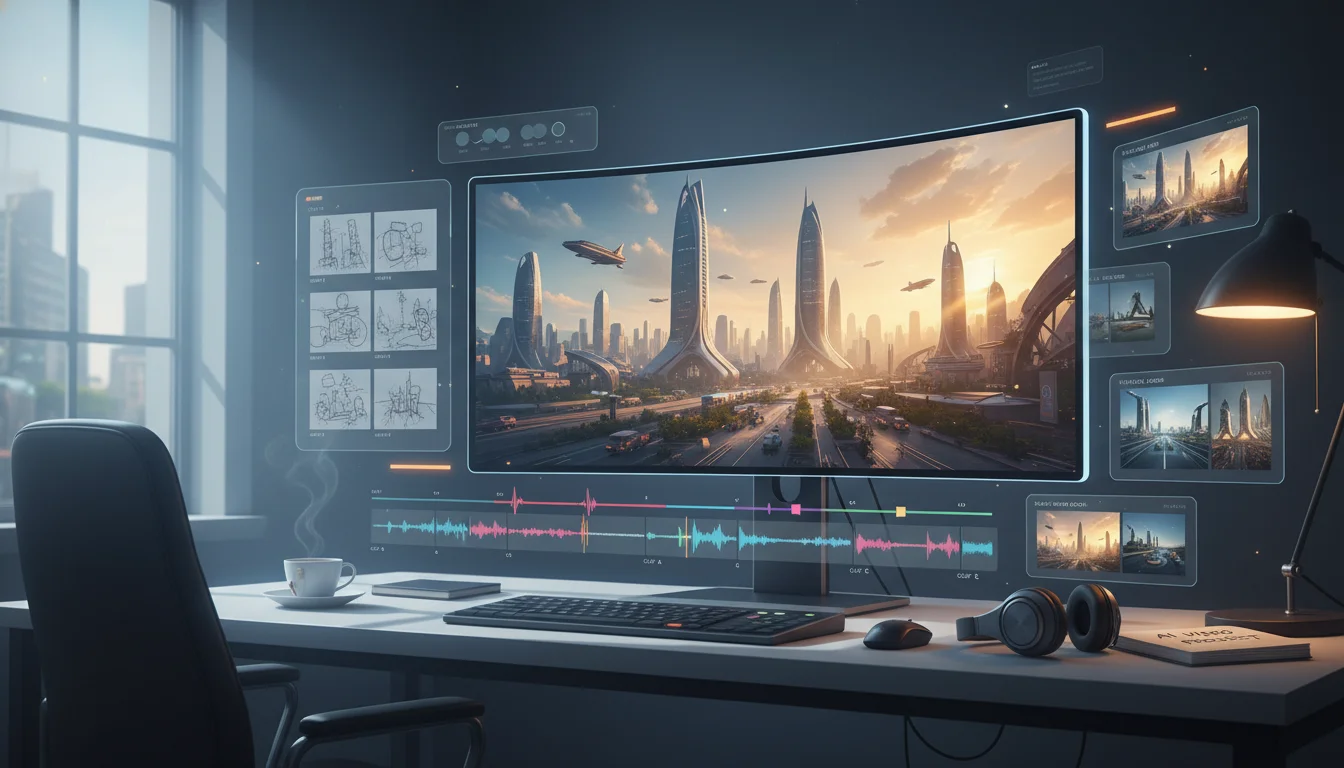
One of Veo 3.1's most groundbreaking features is its native audio generation capability. Unlike competitors such as Runway and Sora 2, which produce silent footage requiring separate audio workflows, Veo 3.1 automatically generates audio tracks tied directly to on-screen action. This includes ambient sound, simple foley effects, and context-aware audio that matches the visual content.
While the audio quality isn't album-grade, it provides synced, context-aware sound that significantly accelerates iteration cycles. For creators working on rough cuts and early drafts, having audio baked into the initial generation means feedback rounds feel more complete and alive, even before final sound design.
Character consistency has been a persistent challenge in AI video generation. Veo 3.1 addresses this through its "Ingredients to Video" feature, which allows you to upload up to four reference images that anchor the generation process. These reference images act as visual constraints, helping the model maintain consistency in character appearance, clothing, props, and environmental elements across multiple generations.
This feature proves particularly valuable for narrative projects requiring the same character to appear across multiple shots. By providing reference images of a character's face, costume, and key props, creators can achieve significantly better continuity than previous-generation models allowed.
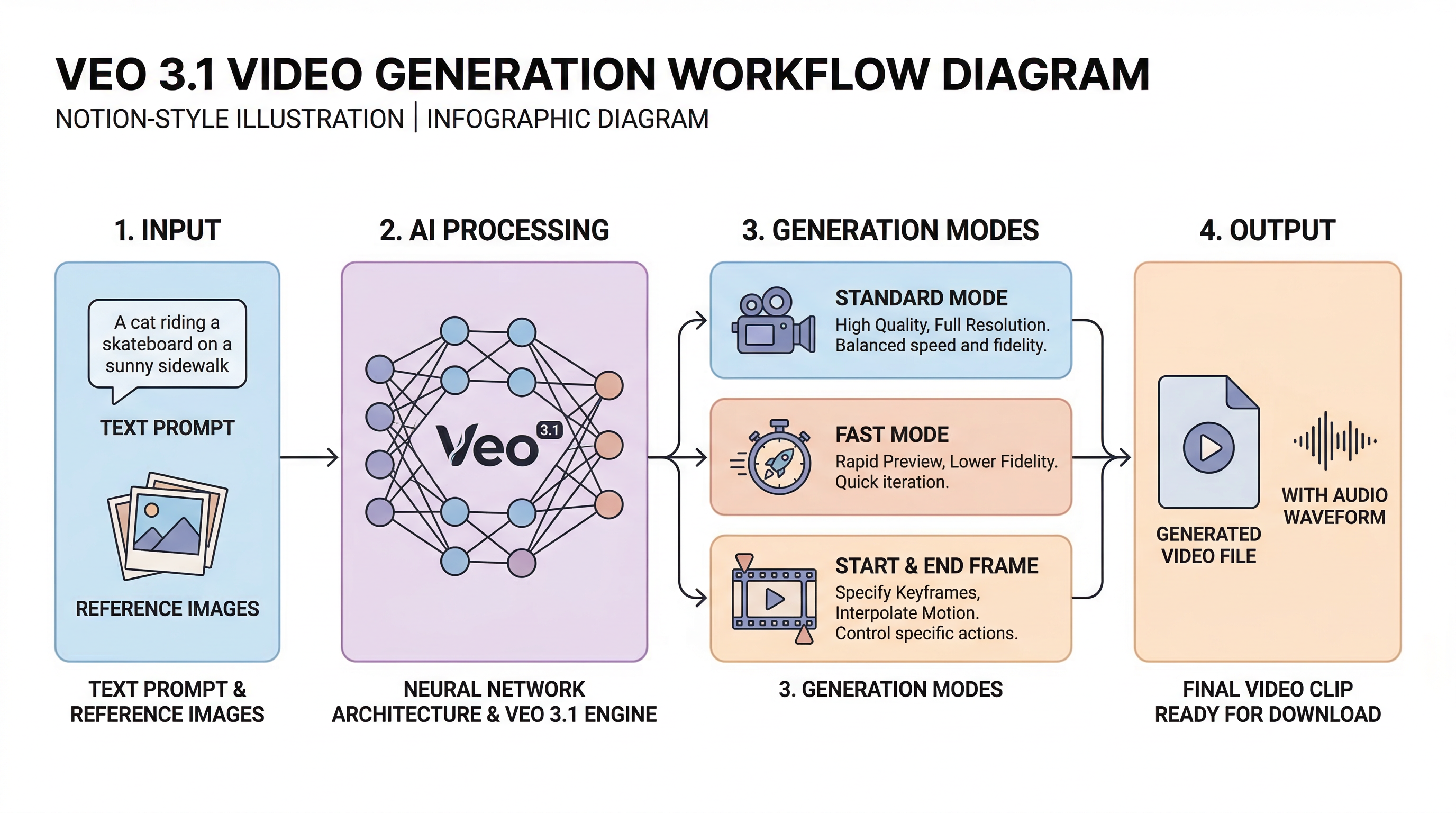
Veo 3.1 introduces three distinct generation modes designed for different workflow priorities:
Standard Mode: Optimized for maximum quality and subject consistency, this mode works with text-to-video prompts and multi-reference inputs to deliver the highest fidelity output.
Fast Mode (Veo 3.1 Fast): Prioritizes speed over peak quality, ideal for rapid iteration and preview generation. This mode significantly reduces generation time while maintaining acceptable visual standards for draft work.
Start & End Frame Mode: Allows you to define both the beginning and ending frames of your video, giving you precise control over motion trajectories and scene transitions.
Veo 3.1 excels at bringing still images to life with naturalistic motion. You can start with any still image, whether from Midjourney, a photograph, or a storyboard frame, and Veo animates it with contextually appropriate movement. A landscape gains gently moving clouds, swaying grass, and rippling water. A portrait subject begins to subtly breathe, blink, and shift weight. Product shots receive slow, elegant rotations with realistic lighting response.
This capability creates powerful hybrid workflows where creators generate stunning stills in specialized image models, then animate them in Veo 3.1 to produce results neither tool could achieve independently.
February 2026 benchmarks show that Veo 3.1 generates videos 30-40% faster than Sora 2, a significant advantage in production workflows with tight deadlines. The model demonstrates particularly strong temporal stability, with physics simulations showing a 25% improvement over Veo 2 in complex scenarios like fluid dynamics and glass-shard trajectories.
Veo 3.1 is the optimal choice for creators who prioritize:
Cinematic aesthetic quality: Veo 3.1 produces the most film-like output among current models, with sophisticated lighting, color grading, and camera movement that feels professionally directed.
Integrated audio workflows: Native audio generation eliminates the need for separate sound design in early production stages.
Production reliability: Veo 3.1 demonstrates the steadiest throughput under load, making it dependable for deadline-driven projects.
Google ecosystem integration: Teams already using Google Cloud, Vertex AI, or Gemini benefit from seamless integration.
Longer-form content: With support for 10-20 second clips and features like Storyboard, Extend, and Stitch, Sora 2 handles longer narrative sequences more effectively.
Physics simulation accuracy: Sora 2's simulation-based approach delivers superior physics accuracy for complex motion scenarios.
Creative exploration: The model offers more experimental flexibility for creators prioritizing artistic exploration over production efficiency.
Motion control precision: Kling 3.0 offers motion capture-level control, making it the strongest option for creators who need precise directorial control over movement.
60fps native rendering: The model's native 60fps pipeline provides more frames for smooth motion interpolation.
Rapid social media content: Optimized generation speed makes Kling 3.0 efficient for high-volume social content workflows.
Veo 3.1 responds particularly well to cinematic language. The model is trained to understand film terminology, so incorporating camera movements, lighting descriptions, and cinematographic concepts significantly improves output quality.
"A steadicam tracking shot following a woman in a red coat walking through a rain-soaked Tokyo street at night. Neon signs reflect in puddles. Shallow depth of field. Cinematic color grading with teal and orange tones. 24mm lens perspective."
To maximize character consistency across multiple shots:
Prepare high-quality reference images: Use clear, well-lit photos showing your character from multiple angles.
Upload 2-4 reference images: Include front view, profile, and full-body shots when possible.
Maintain consistent lighting: Reference images with similar lighting conditions produce more coherent results.
Specify character details in prompts: Even with reference images, explicitly mentioning key visual details, such as clothing color and distinctive features, in your text prompt reinforces consistency.
While Veo 3.1 delivers impressive results, understanding its limitations helps set realistic expectations:
Clip extension challenges: When attempting to extend videos by using the end frame of one clip as the start frame of another, visual continuity often breaks. Fur patterns shift, lighting angles jump, and focal lengths reset. This limitation means truly seamless multi-shot sequences still require careful planning and potential manual compositing.
Complex action sequences: Fight choreography and intricate physical interactions can produce inconsistent results. Movements may feel stiff, timing can be off, and object consistency, such as weapon appearance, may vary within a single shot.
Character generation restrictions: In certain regions, including the EU, UK, Switzerland, and MENA, person generation parameters are more restrictive. The model defaults to not generating people unless explicitly specified, and even then, only certain types of adult generation are permitted.
Advertising agencies and film production teams use Veo 3.1 for pre-visualization work, generating quick concept shots to test camera angles, lighting setups, and scene composition before committing to expensive live-action shoots. The cinematic quality and fast generation time make it particularly valuable for pitch decks and creative presentations.
Content creators leverage Veo 3.1's vertical video support, using the 9:16 aspect ratio, to generate TikTok and Instagram Reels content. The native audio generation eliminates the need for separate sound design in rapid-turnaround social content workflows.
E-commerce brands use the image-to-video feature to animate product photography, creating dynamic showcase videos from static product shots. The slow, elegant rotations with realistic lighting response provide professional-looking product videos without traditional video production costs.
Educators and course creators use Veo 3.1 to generate illustrative video content for online courses, transforming text descriptions and reference images into visual demonstrations that enhance learning materials.
During periods of high server demand in February 2026, Veo 3.1 showed higher failure rates. Teams encountered frequent policy violation warnings even for previously successful prompts, along with "Something went wrong" errors that disrupted production workflows. Long-time users also noted a decline in reliability compared to earlier periods.
While native audio generation is convenient, the audio quality remains below professional standards. Most creators use Veo 3.1's audio for draft iterations and rough cuts, then replace it with higher-fidelity sound design for final deliverables. The audio serves as a valuable placeholder that speeds feedback cycles rather than a finished product.
Access and capabilities vary significantly by region. Full access to Veo 3.1 and video generation with Gemini is currently limited primarily to paid plans and users in the United States, with more restrictive person-generation parameters in European and MENA regions.
While Veo 3.1 represents cutting-edge AI video generation technology, navigating multiple platforms and managing complex workflows can still present challenges for creators. Veo 4 offers a streamlined solution that integrates multiple advanced video and image generation models into a single, intuitive platform.
With Veo 4, you can access not only Veo 3.1 but also other leading models like Sora 2, Kling 3.0, and additional cutting-edge AI tools, all from one convenient interface. This integration eliminates the need to manage separate subscriptions, learn multiple platforms, or switch between different tools for various aspects of your creative workflow.
The platform emphasizes ease of use, making advanced AI video generation accessible to creators at all skill levels. Whether you're producing social media content, film pre-visualization, product demonstrations, or educational materials, Veo 4 provides the flexibility to choose the right model for each specific task while maintaining a consistent, user-friendly experience.
By consolidating access to multiple state-of-the-art AI models, Veo 4 enables creators to experiment with different approaches, compare results across models, and select the optimal tool for each project, all within a single, cohesive platform. This one-stop solution significantly reduces the friction in AI-assisted video creation, allowing you to focus on creativity rather than technical logistics.
Explore how Veo 4 can transform your AI video creation workflow at veo4.im
Veo 3.1 represents one of the most technically accomplished AI video generation models available in early 2026. Its combination of cinematic quality, native audio generation, 4K upscaling, and Google ecosystem integration creates a compelling package for professional creators and production teams.
The model excels when your priorities align with its core strengths: broadcast-quality aesthetics, reliable production throughput, integrated audio workflows, and seamless Google Cloud integration. For advertising agencies, film pre-visualization teams, and content creators targeting premium audiences, Veo 3.1's quality justifies its premium positioning.
However, it's not a universal solution. Creators needing longer-form content may find Sora 2's extended duration and storyboard features more suitable. Those requiring precise motion control might prefer Kling 3.0's motion capture-level precision. And users in regions with restricted access or those working on tight budgets may need to evaluate whether the capabilities justify the cost and availability constraints.
The AI video generation landscape continues to evolve rapidly, with each major model offering distinct advantages. Rather than searching for a single "best" tool, the most effective approach is understanding which model's strengths align with your specific project requirements, and increasingly, using platforms like Veo 4 that provide access to multiple models, giving you the flexibility to choose the right tool for each creative challenge.
As these technologies mature, the gap between AI-generated and traditionally produced video content continues to narrow. Veo 3.1 represents a significant step in that journey, delivering results that would have seemed impossible just months ago. Whether it's the right tool for your workflow depends on your specific needs, but it undeniably deserves consideration in any serious creator's toolkit.
Veo 3.1: The Complete Guide to Google's Most Advanced AI Video Generator
What is Veo 3.1?
Core Features and Capabilities
Resolution and Output Quality
Native Audio-Visual Synchronization
Multi-Reference Mode and Character Consistency
Three Generation Modes
Image-to-Video Animation
Technical Specifications Comparison
Performance Benchmarks
Veo 3.1 vs Sora 2 vs Kling 3.0: Which Should You Choose?
When to Choose Veo 3.1
When to Choose Sora 2
When to Choose Kling 3.0
Practical Workflow: How to Use Veo 3.1 Effectively
Crafting Effective Prompts
Leveraging Reference Images
Managing Generation Limitations
Pricing and Access Options
Free Access Options
Paid Tiers
Credit System
Real-World Use Cases
Film Pre-Visualization
Social Media Content
Product Demonstrations
Educational Content
Known Limitations and User Feedback
Reliability Concerns
Audio Quality Trade-offs
Regional Restrictions
Veo 4: Elevating Your AI Video Creation Experience